

Children without email
Children sign in with a code from you and a 4-digit PIN. For each calendar you decide: see everything, only «busy» or nothing at all – and what they may add or tick off themselves.
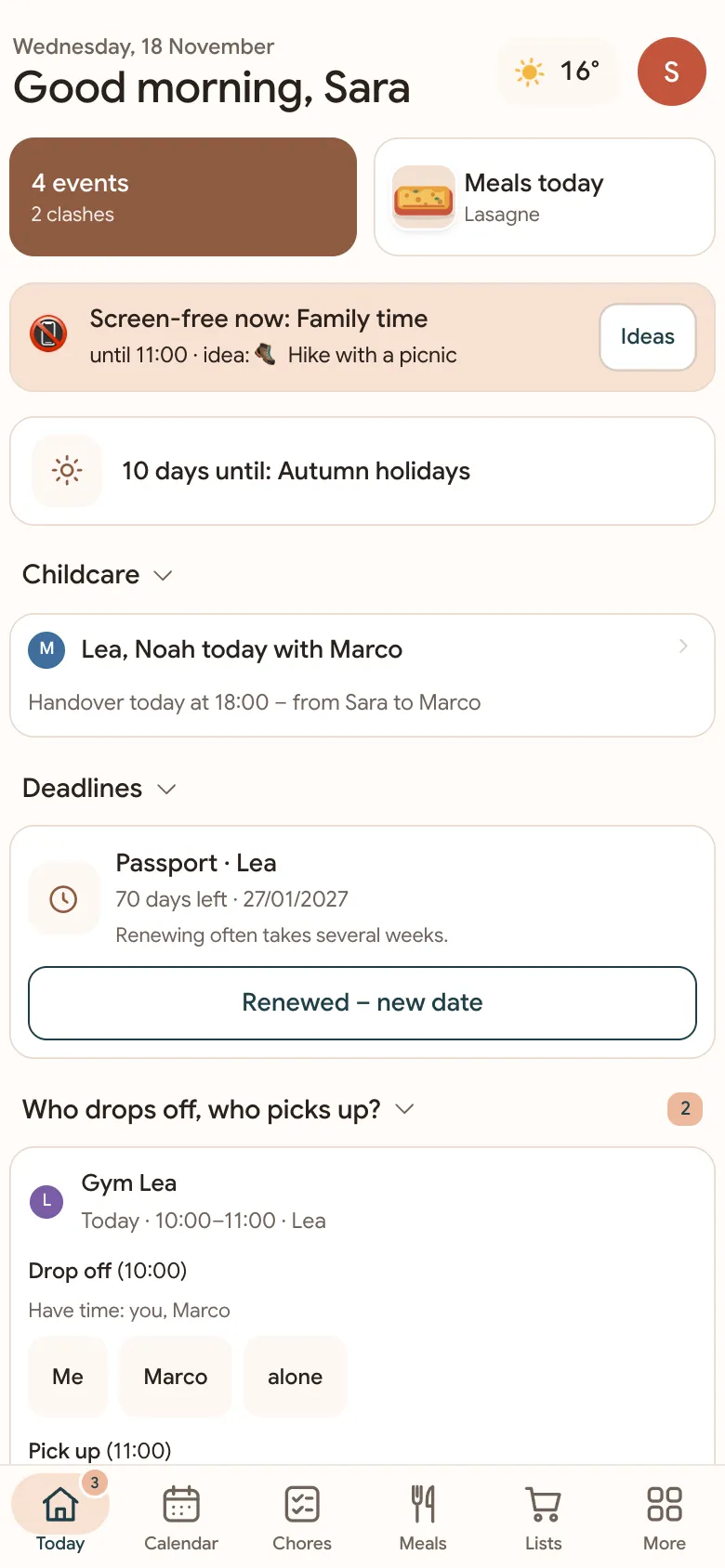
Events, meals, shopping, chores, tasks and routines – planned together, up to date on every phone. FamilyBuddy spots clashes, reminds you in time and helps the children join in on their own.

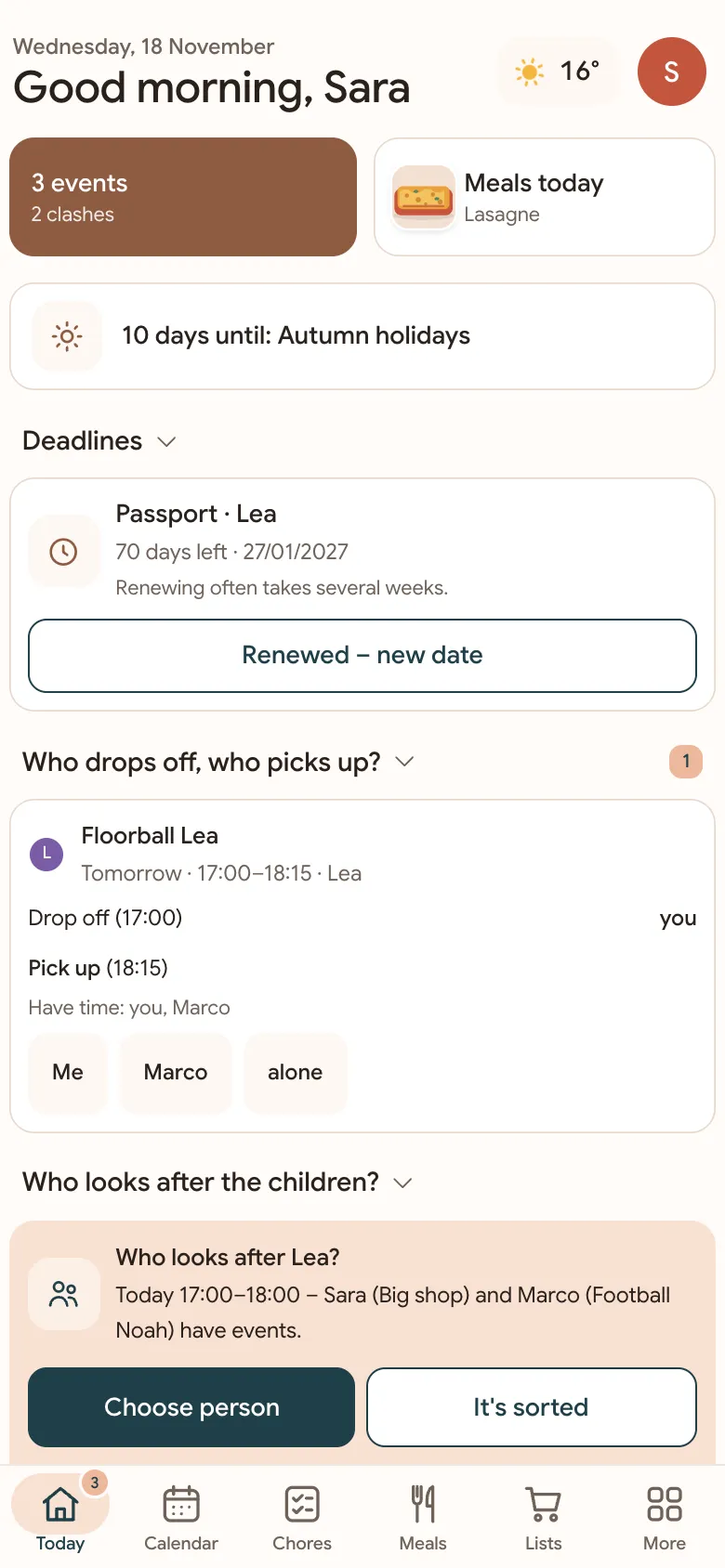
Instead of chat messages, notes on the fridge and three calendar apps: one app for everyone in the family. Every feature ties into the others – dinner ends up on the shopping list, due tasks on «Today», the week on paper.

More time for each other.
Less «Who's picking up whom?», fewer notes and chat messages – and more moments together at the table.
 Family calendar
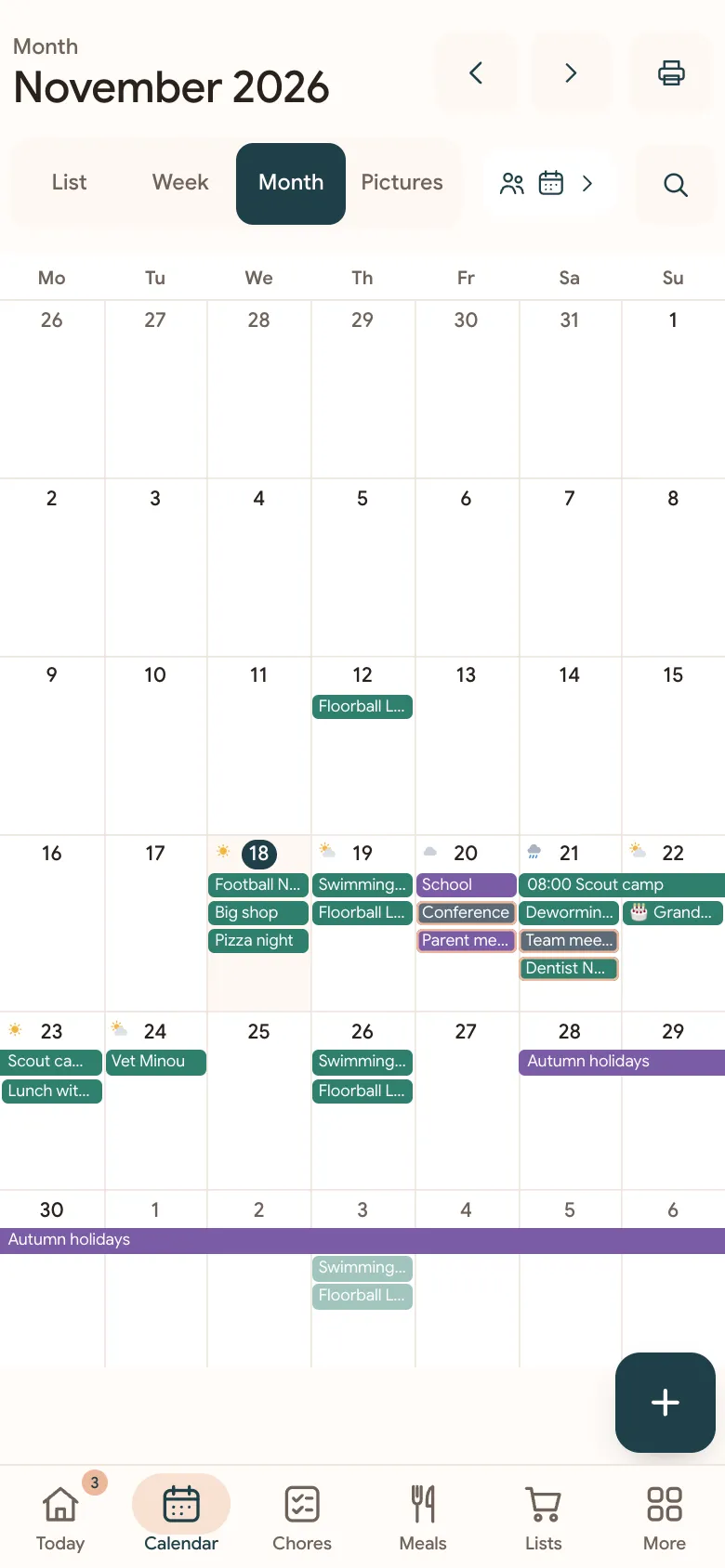
Work, school, training and family in one calendar – as a list, week or month. FamilyBuddy notices when two events clash or the car is booked twice, and asks.
Tips for the family calendar and a printable family planner →

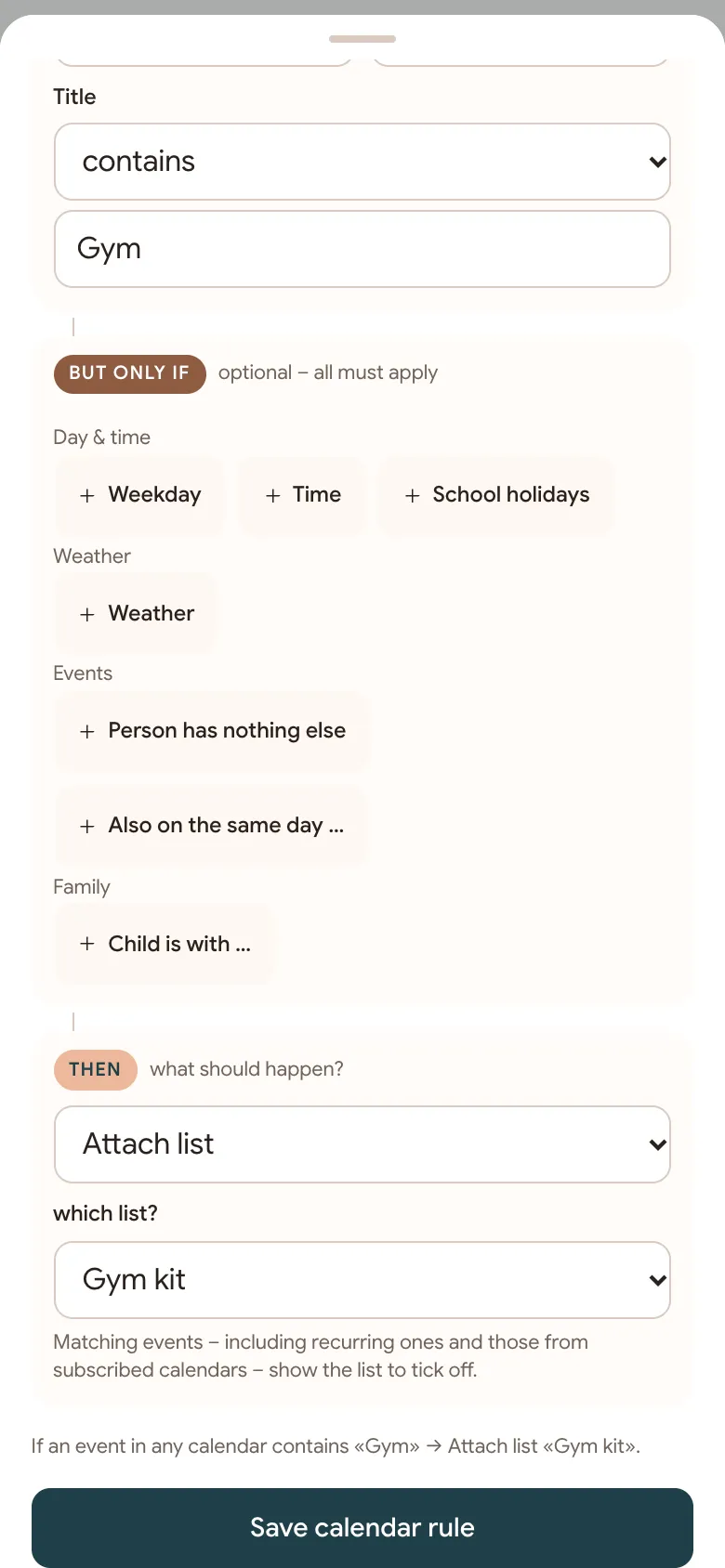
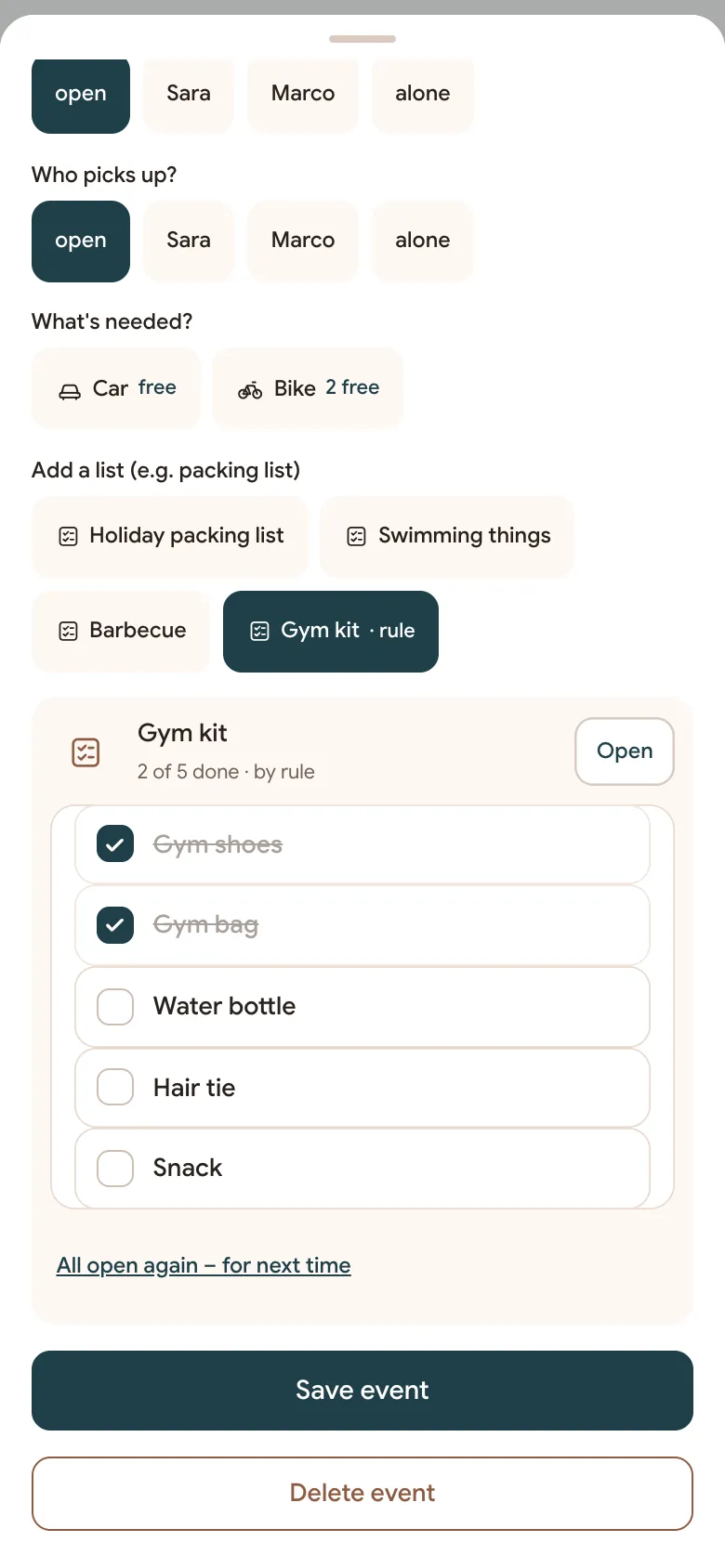
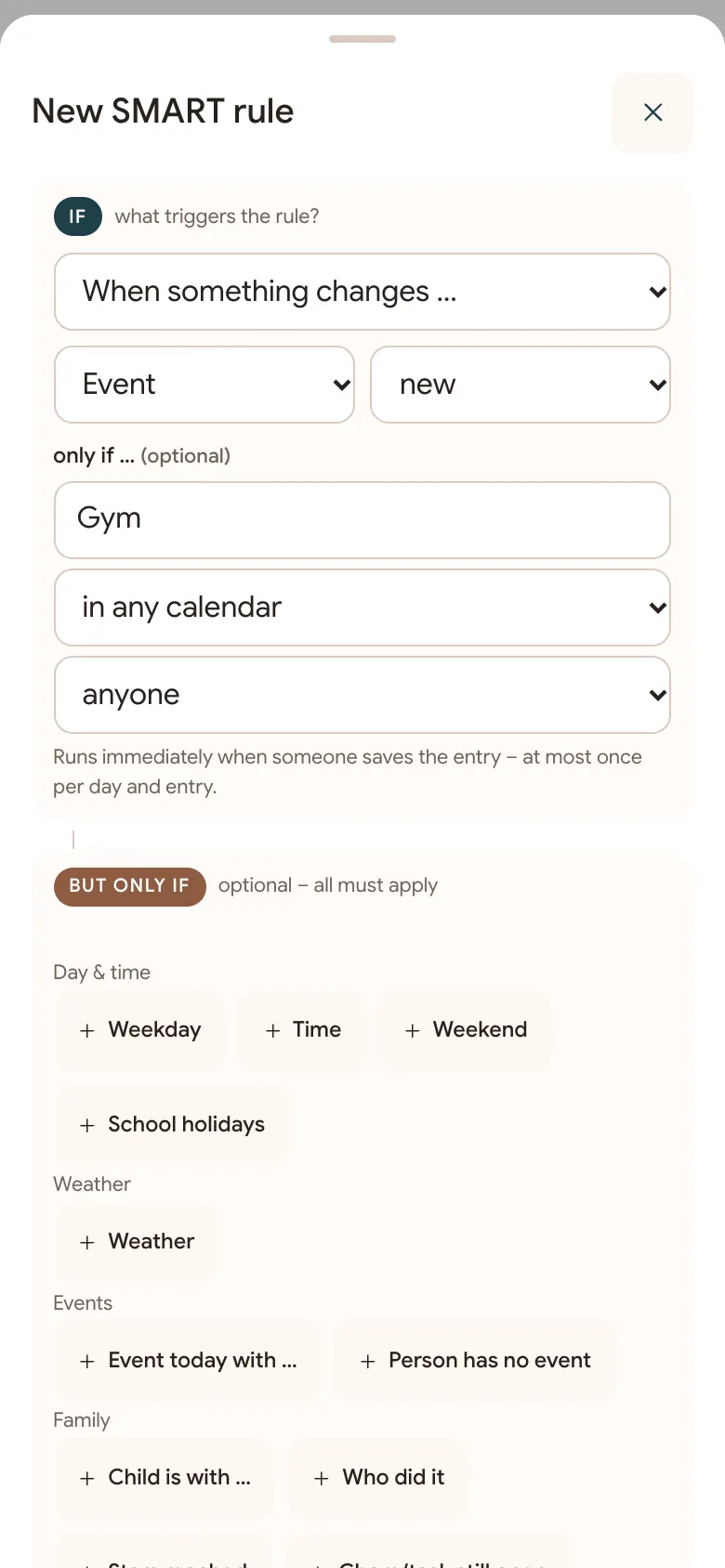
Build a rule like a sentence: «If an event contains Gym, then …». It applies to all matching events – including recurring ones and those from subscribed calendars.
When two events clash, FamilyBuddy asks. If you like, your answer becomes a rule. Next time the app decides by itself – and every rule can be adjusted at any time, neatly grouped. If an event from the school or club calendar clashes, tap «Resolve»: fine after all, hide just this one event or always like this.
«Conference» in Marco's work calendar and «Parent meeting Lea» clash. Is that a problem?
Events with «Conference» in Marco's work calendar …
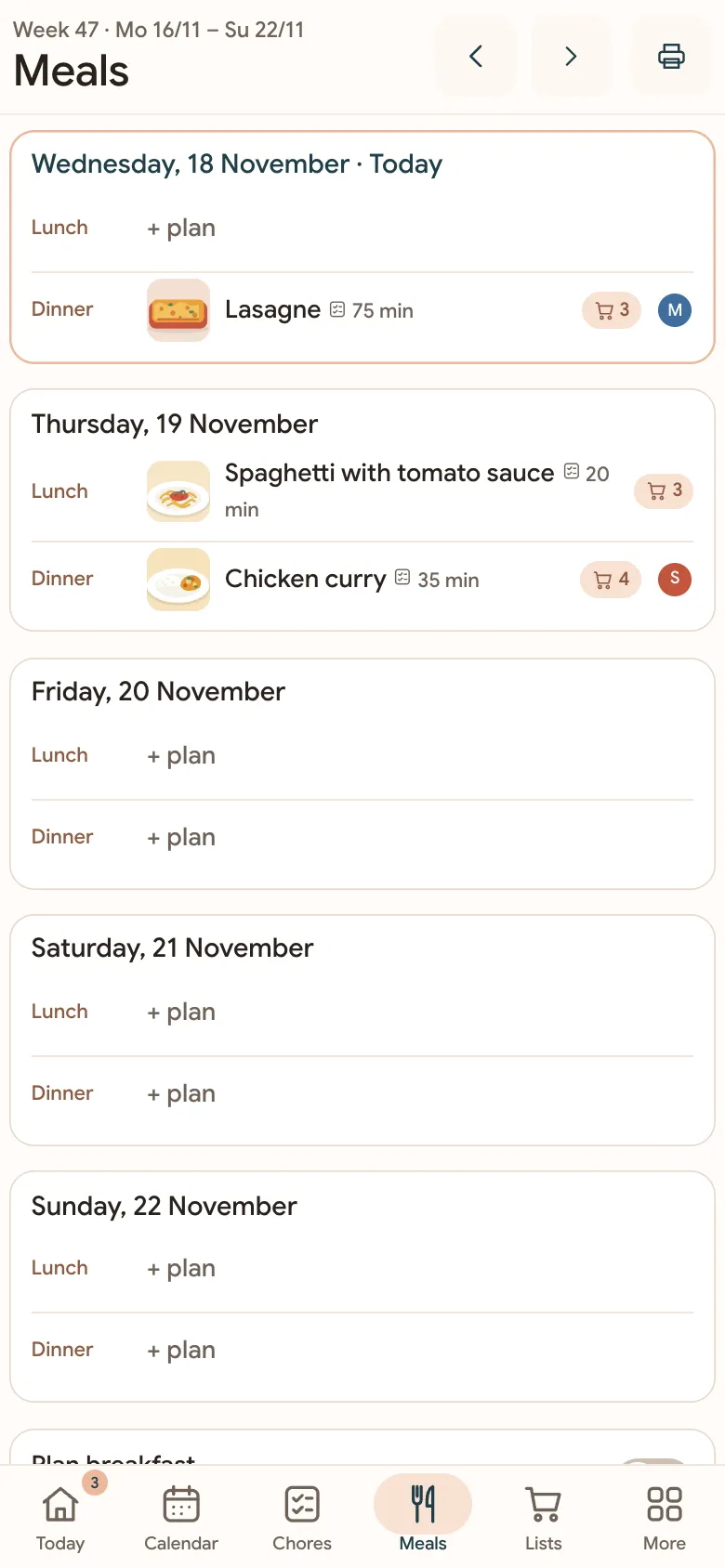
 Meal plan & recipes
One tap and FamilyBuddy fills the week: with your favourite dishes, the children's wishes and something quick on busy evenings.

 Shopping, tasks & lists
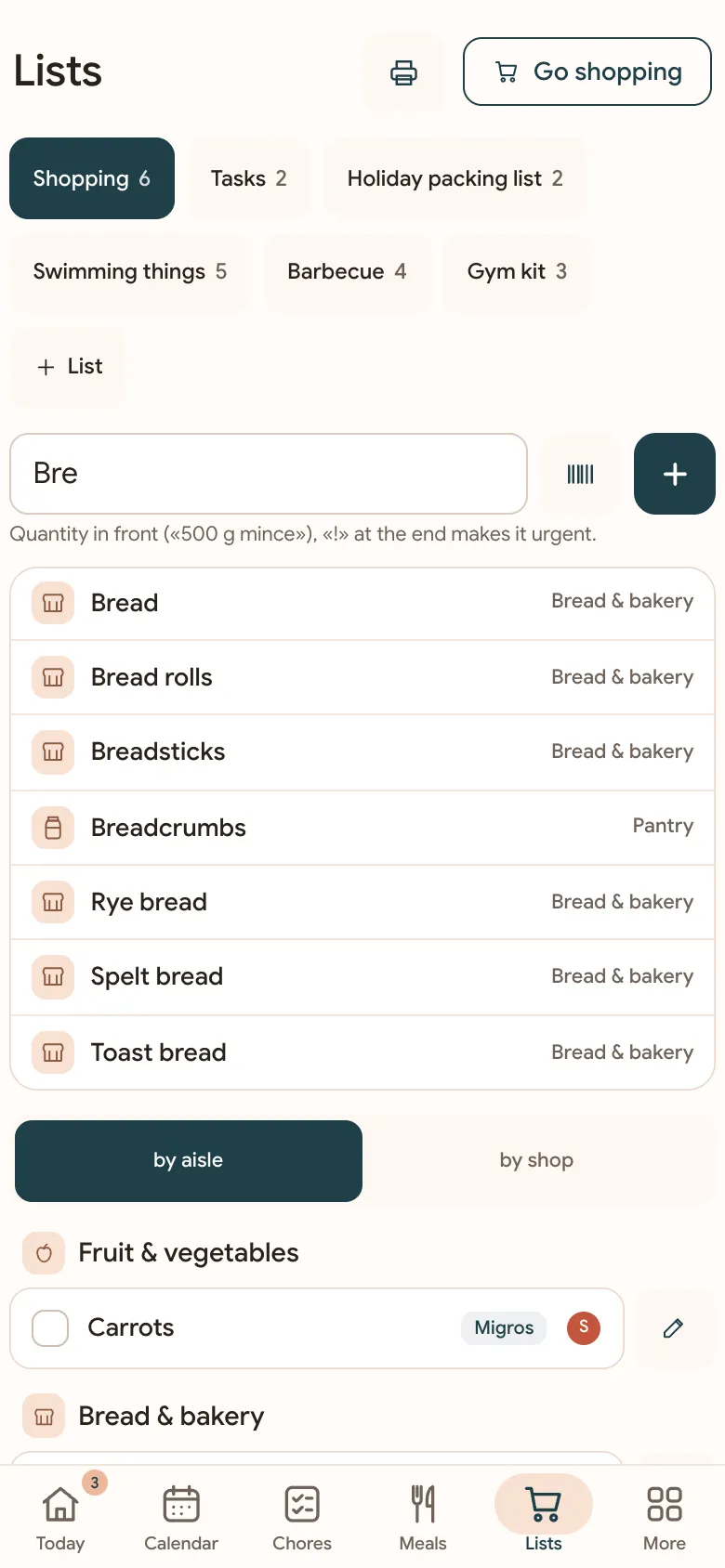
Everyone writes on the same list, it's instantly on every phone – sorted by aisle in the shop or by store: first everything from Migros, then Coop, Denner or Landi. Plus: tasks with deadlines and your own lists for holidays, presents or ski camp.

 Chore chart
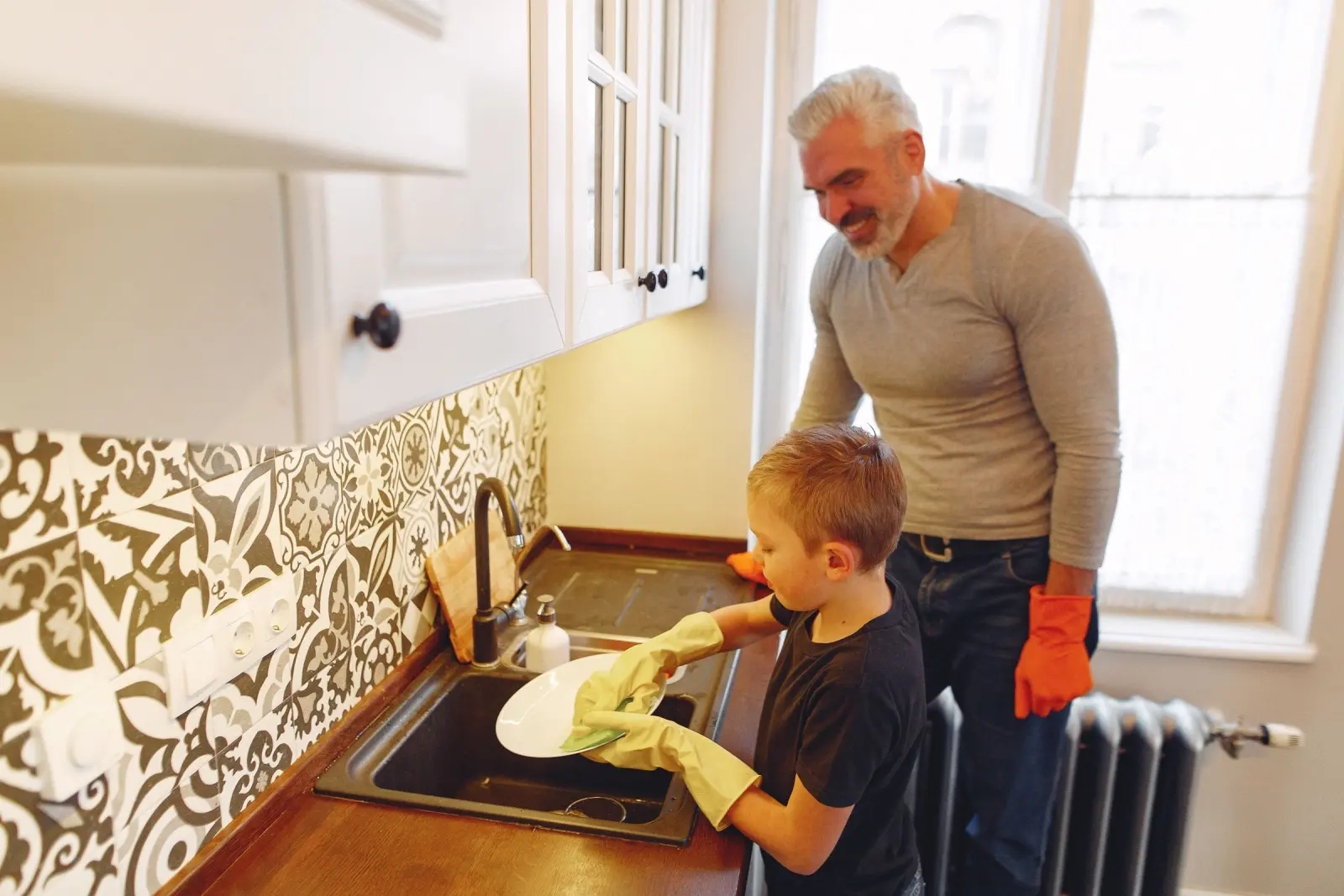
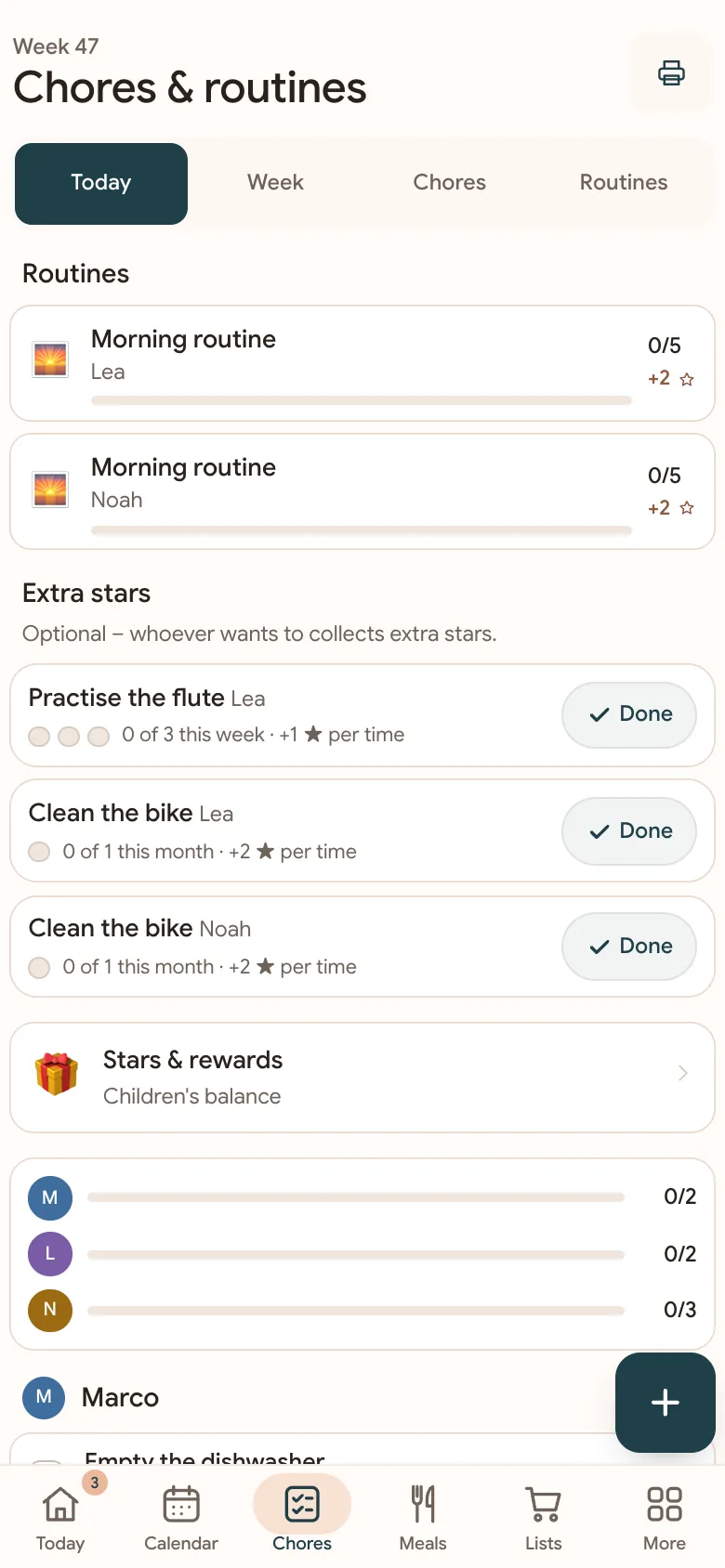
Recurring chores rotate automatically. Children tick them off themselves and collect stars, parents see what's done.
 Routines & rewards
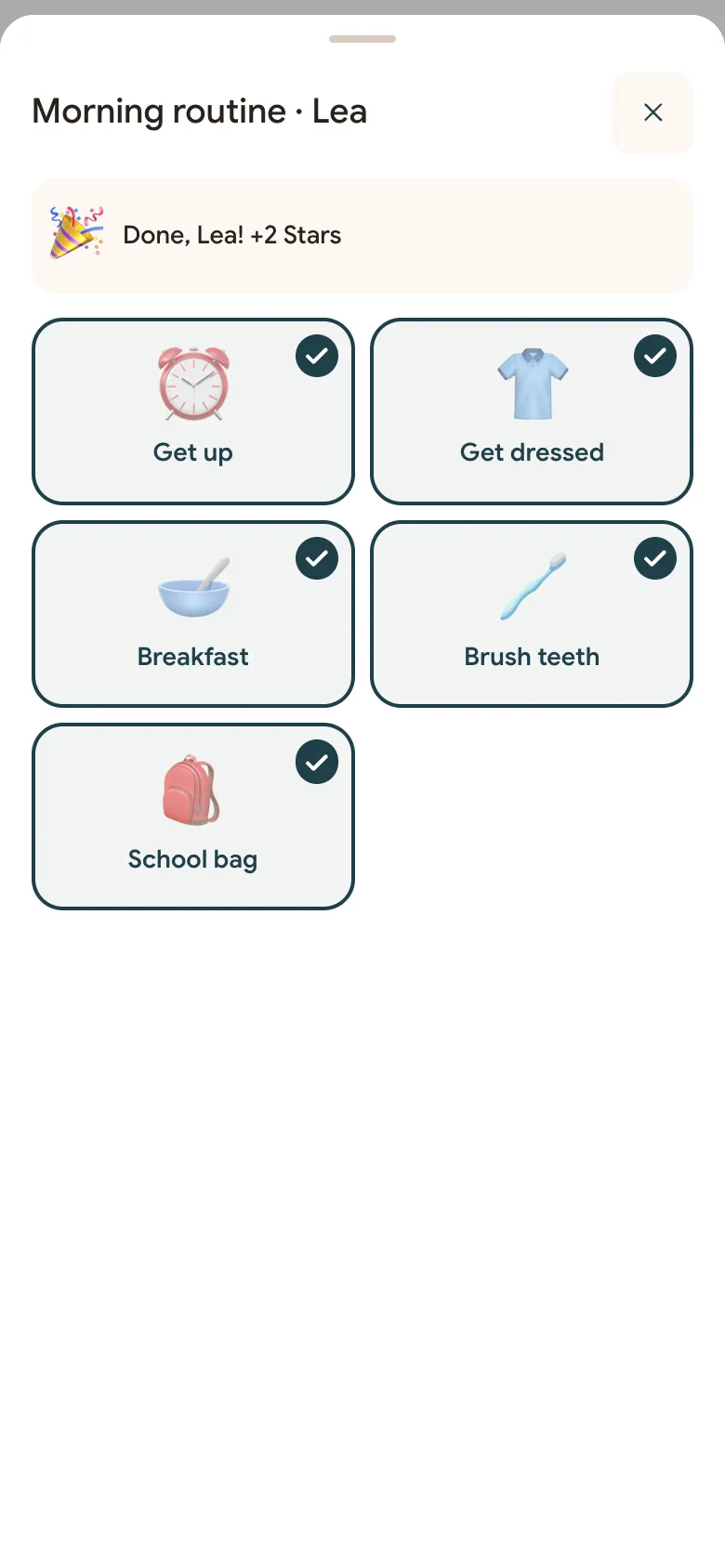
Get up, get dressed, breakfast, brush teeth, school bag: children tick off step by step – with pictures, even if they can't read yet. Whoever finishes gets stars.

 SMART rules
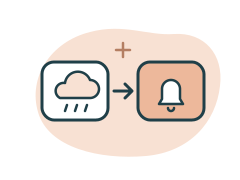
With SMART rules, the app takes over what you'd otherwise have to remember. You choose when a rule starts, under which conditions – and what happens then. Like a construction kit in three blocks.
 Medicines
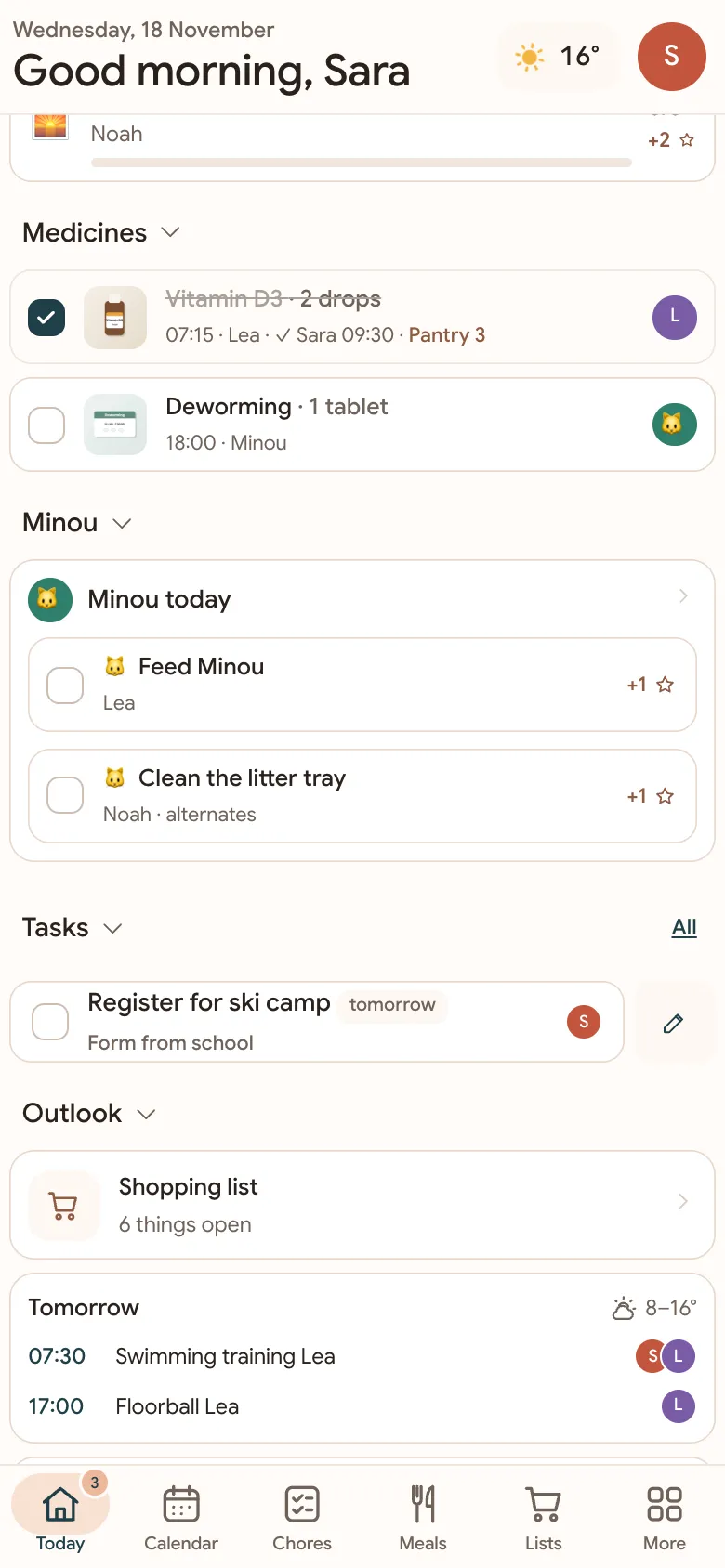
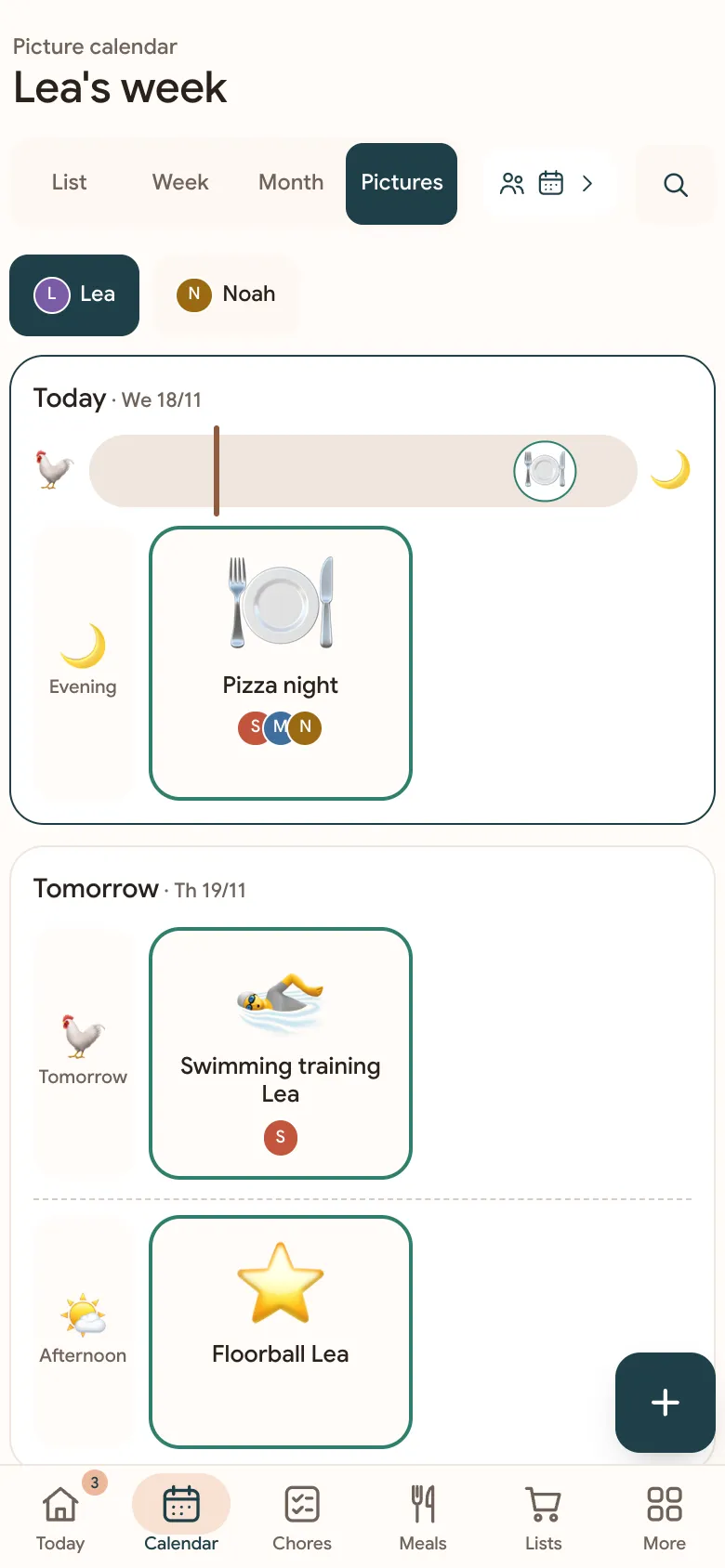
Vitamin D in the morning, the inhaler in the evening, the cat's dewormer: FamilyBuddy shows on «Today» what's due when – and who has already given it.
 For the kitchen & fridge
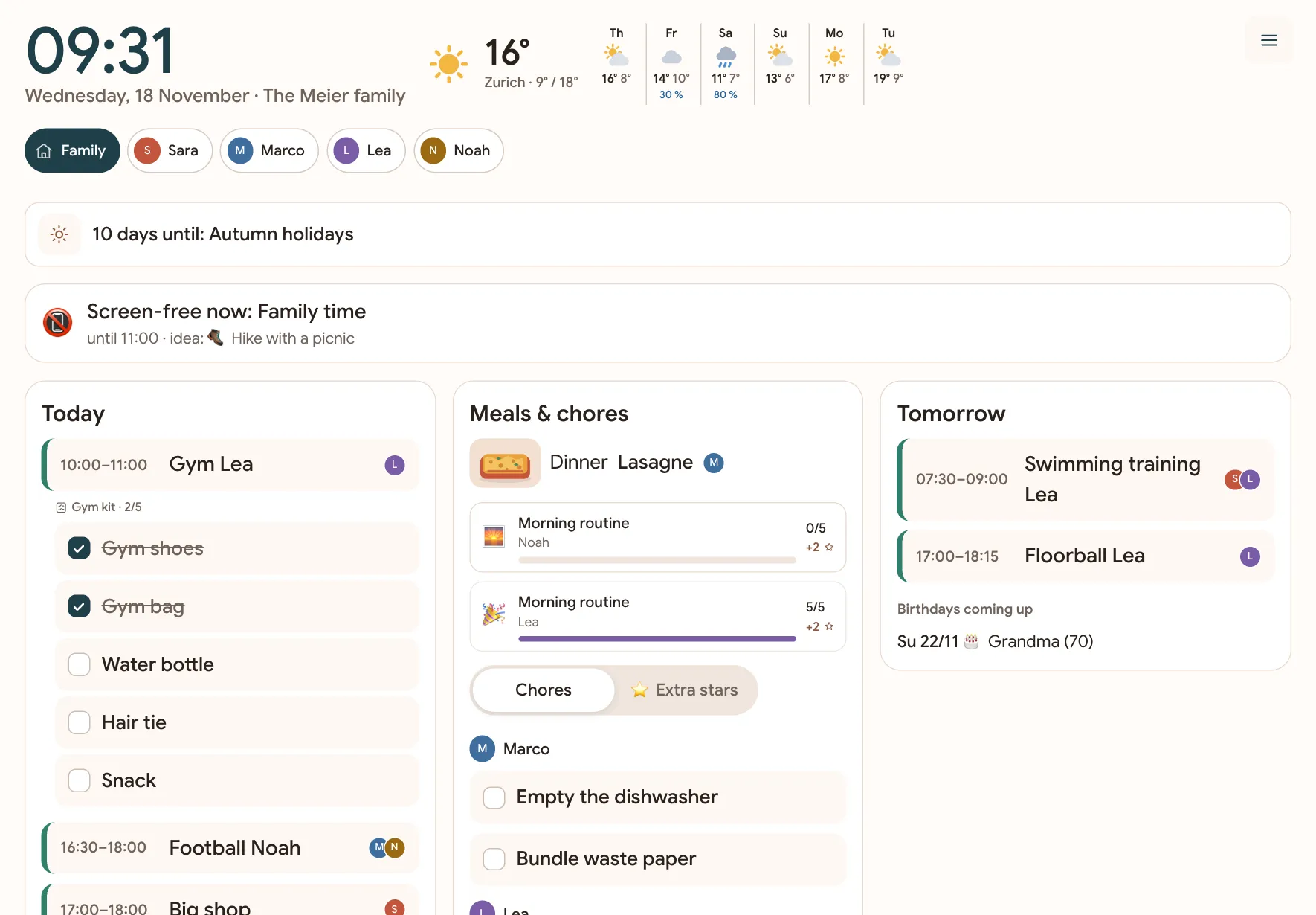
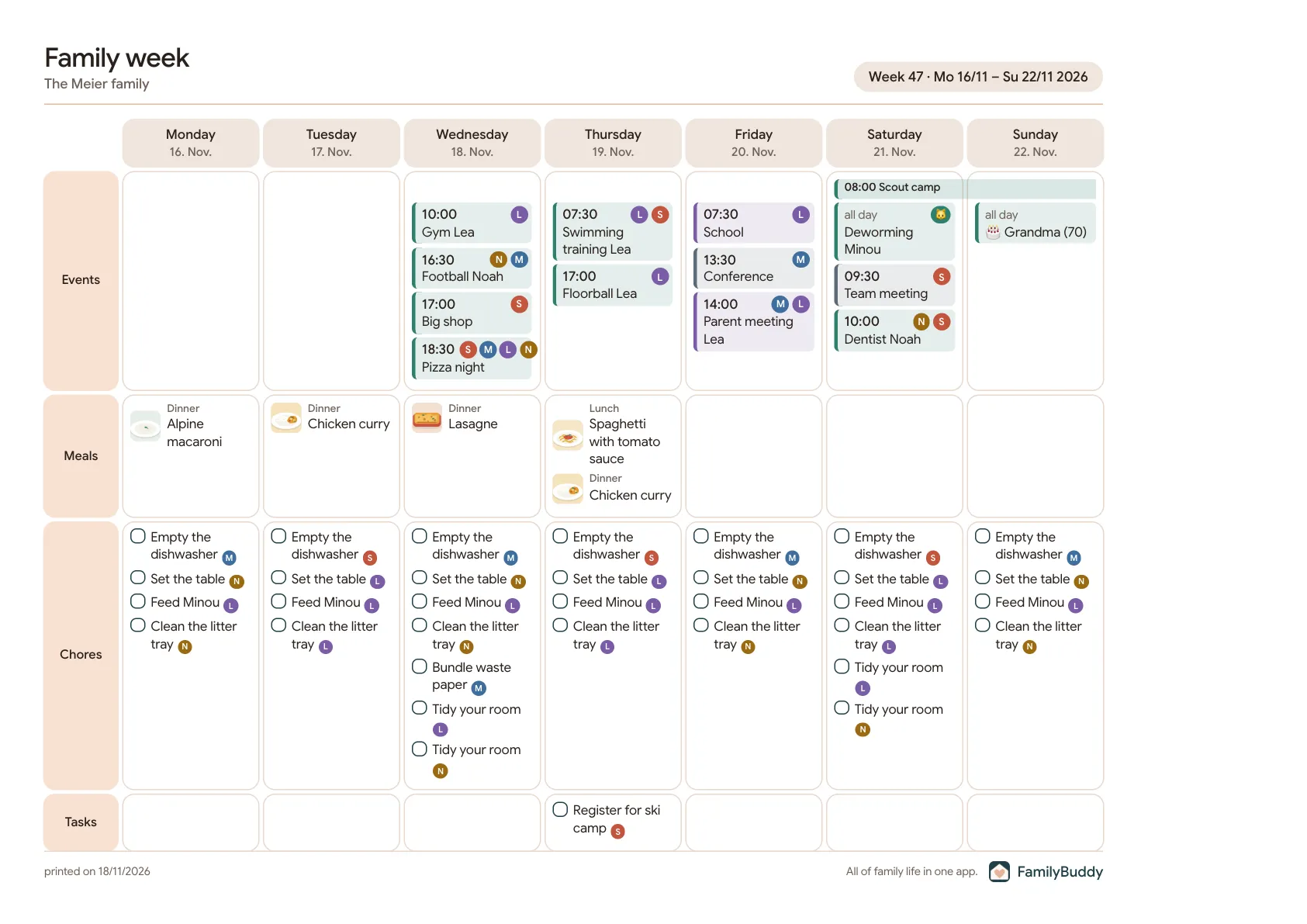
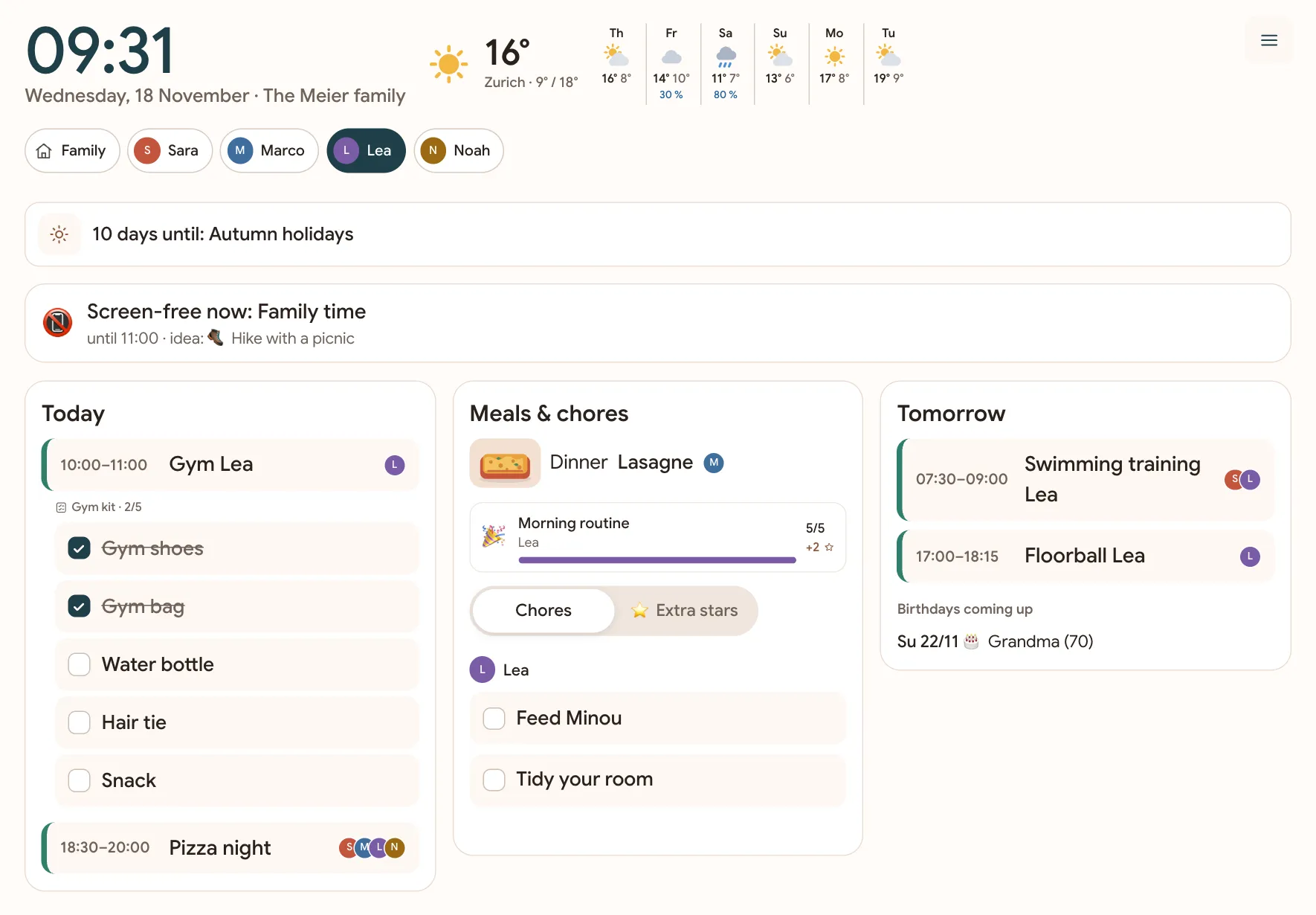
Not everyone looks at their phone. That's why FamilyBuddy also shows the day large on a tablet – as a family plan or digital photo frame – or on paper.

 For the whole family
Children sign in with a code from you and a 4-digit PIN. For each calendar you decide: see everything, only «busy» or nothing at all – and what they may add or tick off themselves.
With exactly the rights you grant – such as editing the meal plan or ticking off chores. Time-limited if you like. The second parent joins via an invitation link.
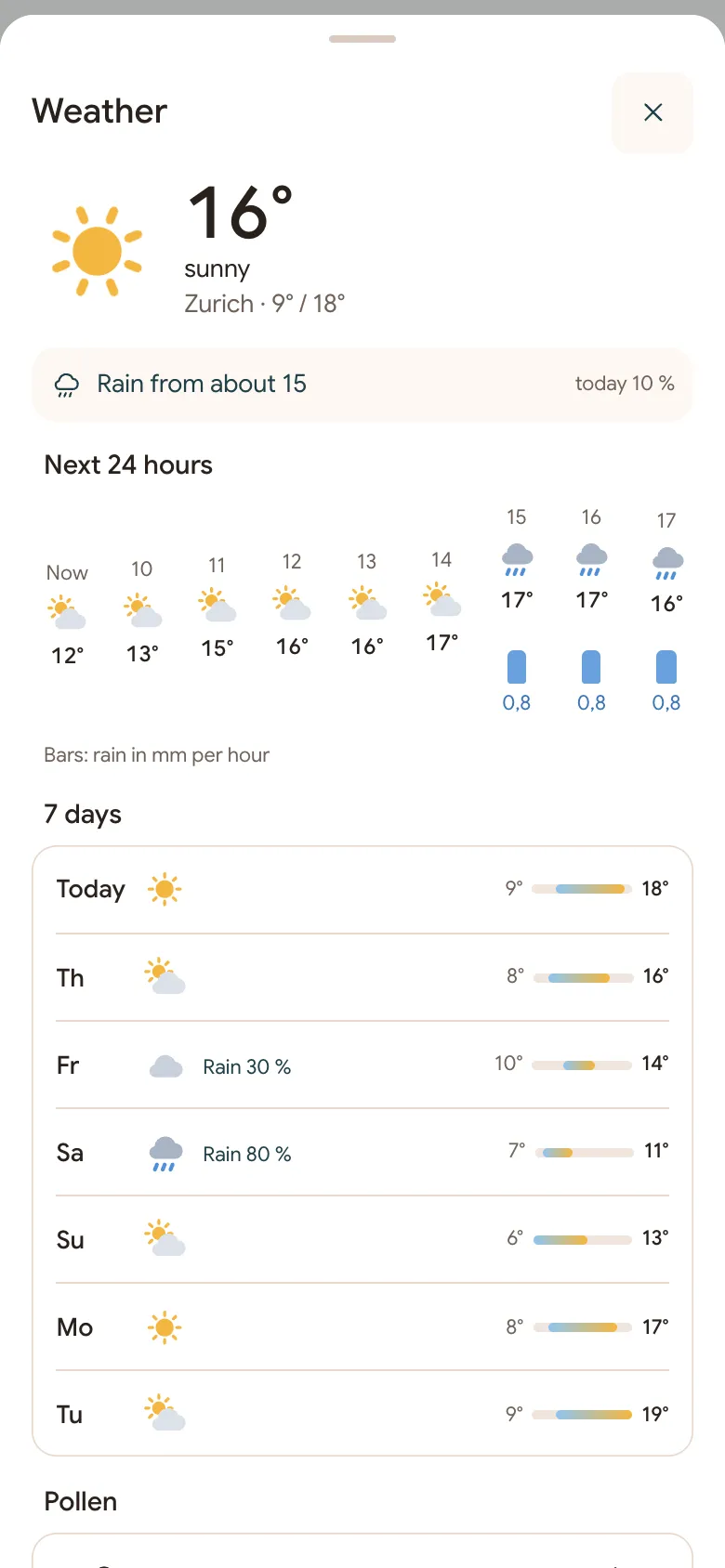
If a child has training without an adult, FamilyBuddy asks who drops off and who picks up – and says who has time. If both parents have events at the same time, it asks who looks after the children. In the evening comes a look at tomorrow with a weather tip, on Sundays the review: who took on what this week.
Push notifications before events, for chores, tasks, meals, birthdays and new items on the shopping list. With quiet time, time windows per weekday and a number on the app icon.
What you enter without signal, FamilyBuddy syncs as soon as the phone is online again. Display size per device in four levels: from compact to very large.
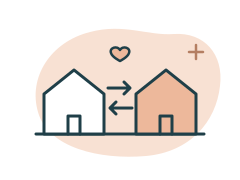
Parenting plan with weekly switches, 2-2-3 or your own pattern: who has the children when, handovers with reminders, holidays and swap requests with yes/no. Share and settle shared expenses (dentist, ski camp …). Your own events stay in private calendars.
Account with a confirmed email address, with a passkey if you like: Face ID or fingerprint instead of a password.
Take a photo or choose a symbol – shrunk and only visible to your family. That way even the youngest sees at once whose turn it is.
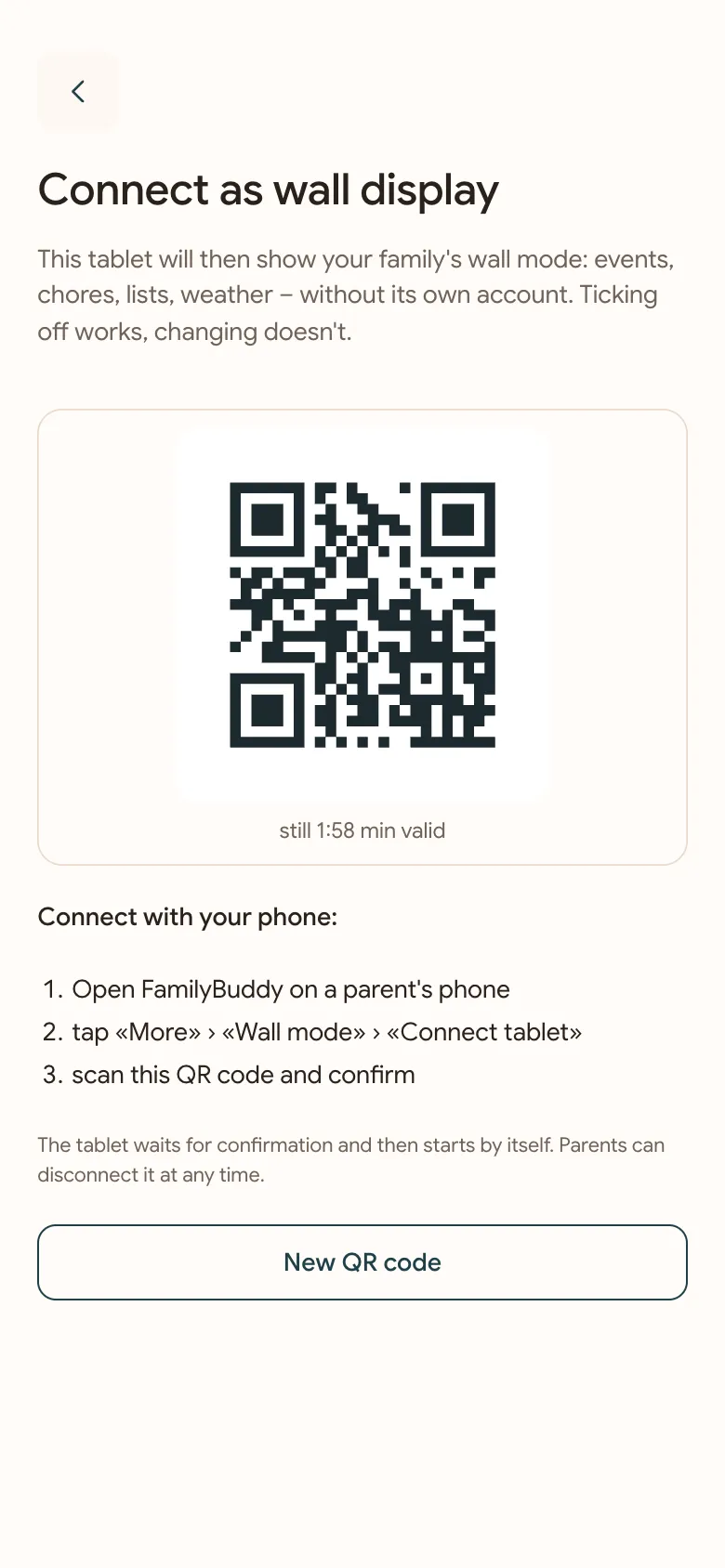
Invite family members, connect a child’s phone or a tablet on the wall – straight with a QR code. Scan, confirm, done.
 Pets
Feeding, walks, vet, vaccinations: pets get their place in the family – with a pet passport, care reminders and chores the children help with.

 Co-parenting
For separated parents: who has the children when, handovers, holidays and swaps – factual, transparent and without long messages. Your own life stays private.

No installation from the App Store needed – FamilyBuddy runs in the browser and can be placed on the home screen like an app.
In families with ADHD, autism or other neurodivergence, clear routines, predictability and fewer «Did you remember?» help. FamilyBuddy isn't therapy – but it helps so that structure doesn't live only in the parents' heads.
Morning and evening routines: every step with a picture, the child ticks them off in order and sees what comes next – even before they can read.
The week with events, meals and chores is visible to everyone – on the phone, as a tablet on the wall or printed on the fridge.
FamilyBuddy reminds you of events, tasks and chores at the right time – with quiet times and time windows so it doesn't get too much.
Stars for completed chores and routines, redeemable for rewards you set. Small successes become visible.
FamilyBuddy shows clashes and double bookings before things get tight – less last-minute stress.
«Large» or «Very large» display per device, clear colours per person, no ads and no distracting pop-ups.
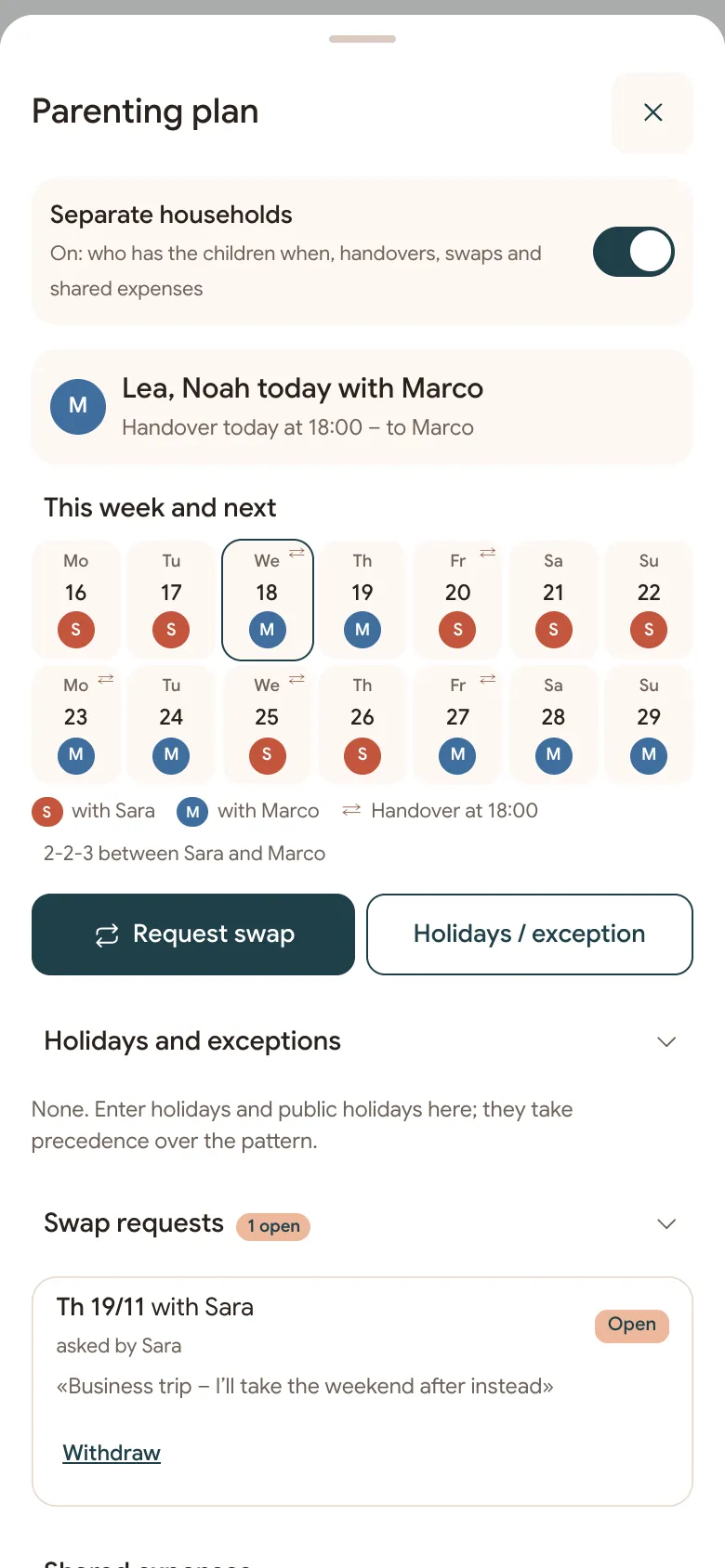
For children who can’t read yet: school, swimming or granny as a big picture, the day by time of day instead of clock times – and a band that shows what’s happening now.
I know this topic from my professional environment. Professionals who support families will find information on working together here; support services for families are listed in the help.
 Screen time
Many children spend a lot of time on screens. FamilyBuddy relies on guiding instead of controlling: agreeing together, fixed times, good alternatives – and no phone of their own needed to see family life.

Your data is stored with Infomaniak in Switzerland. No ads, no tracking, no third-party scripts. We earn money with a fair subscription – not with your data.
All features, all family members, all devices. Try free for a month – no payment details, no automatic renewal.
CHF 5.–per month
Cancel any time at the end of the month.
Try free for 1 monthCHF 50.–per year
Works out at CHF 4.17 per month.
Try free for 1 monthFor a birth, for Christmas or just because: a voucher for 1, 2 or 3 years – instantly by email, to print or forward. The card has a QR code: scan it and the voucher is already filled in.
Midwives, maternity wards, parent counselling, family support, school social work and specialist services for ADHD or autism: FamilyBuddy can complement your work in families' everyday lives.
Tips from family life and templates to fill in and print – free, without an account, your entries stay on your device.

I'm Ivan Zoller from Einsiedeln – computer scientist, husband, father of two and keen on sport.
At our place one appointment chased the next: school, training, work, dinner, shopping. Honestly, it was sometimes too much for me. I tried various apps and tools – none of them really supported me in family life.
That's why I built FamilyBuddy. My goal: the app takes the organising off your hands so that there's consciously more time for the family.
Ivan Zoller, founder of FamilyBuddy
FamilyBuddy is an all-in-one family app from Switzerland. It brings together the family calendar, meal plan, shopping list, tasks, chores, routines and reminders in one place – for parents, children and carers.
Yes. If both parents have events at the same time and the children have neither their own event nor childcare, FamilyBuddy asks on «Today» and the evening before: «Who looks after Lea and Noah? Thu 14:00–17:00». You choose a person (e.g. Grandma), say «It's sorted» or «Children are fine on their own». With a parenting plan, only the parent the children are with counts. Private events only appear as «event».
SMART rules are little helpers following the pattern «If … then …»: if rain is forecast for tomorrow, a new event contains «Gym» or a medicine hasn't been ticked off, FamilyBuddy sends a notification, puts something on the shopping list, attaches a list to the event or adds a task. With «But only if …» a rule applies only on school days, for example. There are templates for common cases.
CHF 5.– per month or CHF 50.– per year for the whole family, all features included. The first month is free. Pay with TWINT, card, Apple Pay or Google Pay.
Yes. At familybuddy.ch/app there is a sample family you can try everything with. The data only stays on your device.
Yes, from Switzerland, the EU and most countries as usual. To protect your data, access from a few high-risk countries is blocked (currently Russia, Belarus, Iran, North Korea, Myanmar and Syria). If you travel there, write to us – we'll unblock the country for your family for the duration of your trip. Signing up is currently only possible for families living in Switzerland.
Yes. FamilyBuddy is a web app: open familybuddy.ch/app on your iPhone or Android phone and add it to the home screen – it then starts like any other app, with its own icon, reminders and a badge number. No download from the App Store or Google Play is needed, and it works the same on tablets and computers.
No. Children sign in with a code from their parents and a 4-digit PIN, also on a family tablet. The parents decide what they may see and do.
Yes. Calendars from Google, Outlook, iCloud, schools and clubs can be subscribed to via an ICS link. The other way round, FamilyBuddy events appear in your own phone calendar via a private link.
With Infomaniak in Switzerland, under Swiss data protection law. FamilyBuddy has no ads, no tracking and loads no third-party scripts or fonts. More in the privacy policy.
The connection is always encrypted (HTTPS). Health data such as medicines and the emergency sheet is additionally stored encrypted, including in our daily backups in Switzerland. If someone signs in to your account on a new device, you get an email; under «Signed-in devices» you sign out unknown devices with one tap. FamilyBuddy doesn't accept passwords that are easy to guess, and with a passkey you sign in without any password – using Face ID or your fingerprint. More in the privacy policy.
Yes. The parenting plan shows who the children are with when – with weekly switches, 2-2-3, 2-2-5-5, every 2nd weekend or your own pattern, handovers with reminders, holidays and swap requests that the other parent answers with yes or no. Shared expenses for the children can be recorded, split by shares and settled. Your own events stay in private calendars that the other parent sees not at all or only as «busy».
Yes. If a child has an event without an adult, FamilyBuddy asks on «Today» and in the evening preview who drops off and who picks up, and shows who has time – or that nobody is free. With one tap someone signs up, Grandma too. On Sundays the weekly review shows the parents who took on how much: rides, chores, cooking and tasks.
Events from a subscription (e.g. school or club) can't be changed – that's why their clash shows «Resolve»: «Fine after all – no clash», «Hide only this event» or «Always like this» for all events with this title (never a clash or always hide). Everything can be undone; you'll find the rules grouped under «Rules & smart assist» and can edit them at any time.
Only if you want. For a busy work calendar, set it to «Others: important only»: the family then only sees all-day events, events outside working hours and what you mark with ⭐. Or set it entirely to «busy only» or «Only me» – that applies to the other parent too. By default children only see work events as «busy».
Yes. What you enter without signal, FamilyBuddy syncs as soon as the device is online again.
Without a subscription everything is kept: you can still view and export your data, but no longer change anything. With a subscription it continues immediately. The trial never turns into a paid subscription automatically.
FamilyBuddy relies on guiding instead of controlling: with templates by age you agree on a media agreement together, set screen-free times for everyone and find ideas by weather and age under «What do we do instead?». Children don't need their own phone to see the weekly plan, chores and routines – wall mode or the printout shows them. FamilyBuddy doesn't measure screen time and doesn't monitor anyone.
FamilyBuddy isn't therapy, but it can take the load off in everyday life: step-by-step routines with pictures, a week visible to everyone (also printed or as a tablet on the wall), reminders instead of keeping things in your head, stars and rewards, and a large, calm display without ads. You'll find counselling services in the help.
Yes. On the page Give FamilyBuddy as a gift there are vouchers for 1 year (CHF 50.–), 2 years (CHF 95.–) or 3 years (CHF 140.–). The voucher arrives instantly by email and can be redeemed for 3 years.
Yes. The subscription can be cancelled at any time, effective at the end of the paid period. All data can be exported at any time, and the family can be deleted completely. Details in the terms.
More answers and step-by-step instructions: Help and guide

One month free, no payment details. Or browse with the sample family first.