

Family calendar: all the family's appointments in one place
Sports practice, parents' evening, dentist, birthday party, school holidays – a lot comes together in a family. A shared family calendar shows at a glance who is where and when. Here you'll find tips on making it work in everyday life, and a family planner to print with one column per person.
Why a shared family calendar?
When everyone keeps their appointments in their own head or phone, you only notice in the morning that two children need to be in two places at once – and the car is already gone. A shared calendar shows such clashes early. It also takes the load off the person who usually keeps track of everything: what's in the calendar, nobody has to remember.
Children benefit too. If they can see that there's gym tomorrow and Grandma is coming on Friday, they can prepare for it – especially children who find surprises hard.
How to make the family planner work
- One place for everything. One calendar, not three. Add the adults' appointments too if they affect the family: late shift, business trip, parents' evening.
- One colour or column per person. That way you see straight away who is affected – even children who can't read yet.
- Fixed dates first. School holidays, public holidays, weekly practice and birthdays go in right at the start. After that it's quickly clear where there's still room.
- A short weekly check. On Sunday evening, look at the week together for five minutes: who drops off, who picks up, when is the car needed?
- Where everyone passes by. On the fridge, next to the front door – or on the phone that everyone has with them anyway.
Family planner to print
Type in names, choose the months, print: each month on one A4 sheet, one row per day and one column per person, with weekends, week numbers and public holidays. Free, no account. Your entries stay on this device and are not sent anywhere.
Preview
Paper or app?
Paper is simple and hangs in the kitchen where everyone can see it. But it doesn't come along to the office or the football pitch, and you have to spot clashes yourself. A digital family calendar is always with you, reminds you in time and takes in school holidays or the club's training schedule automatically.
Many families do both: plan digitally and print the week for the fridge. In FamilyBuddy that takes one tap.
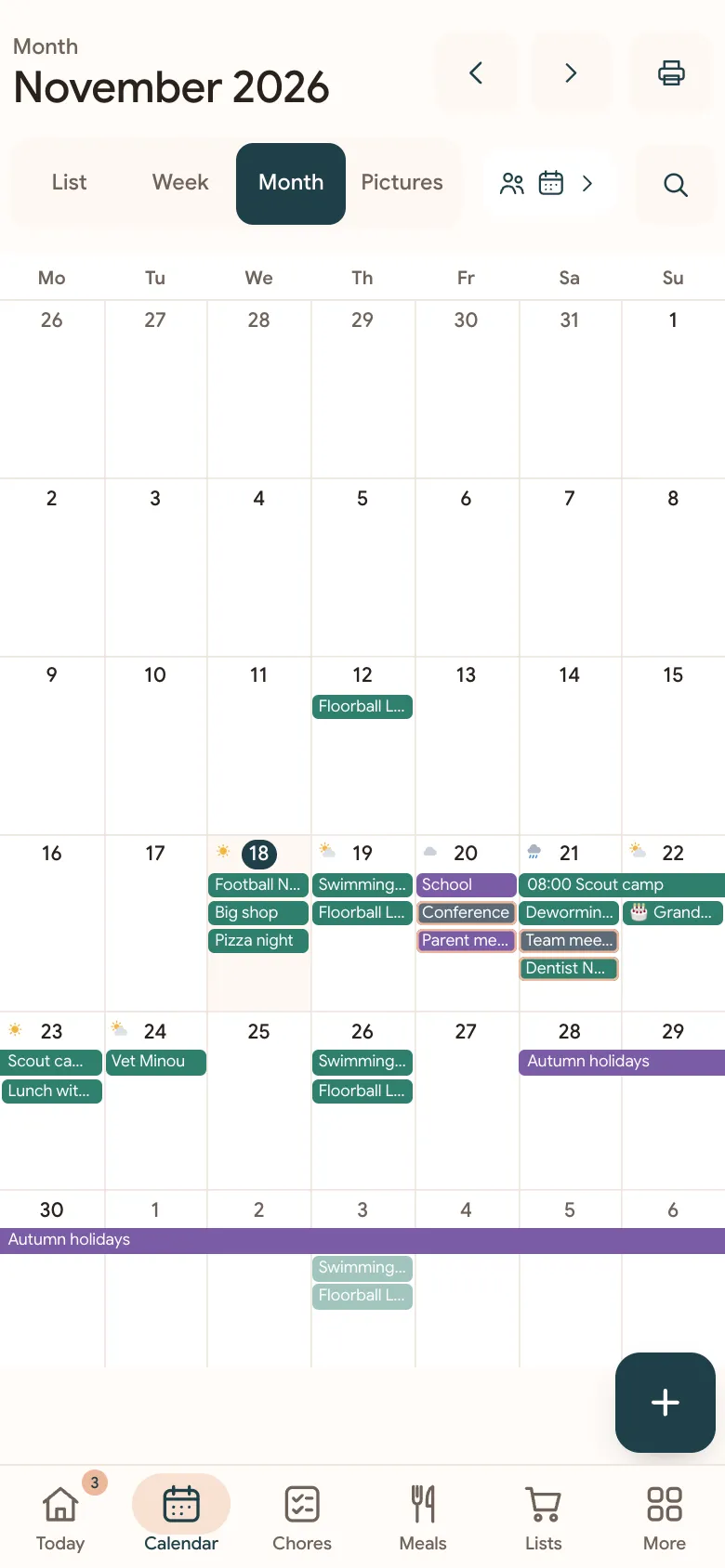
Family calendar app: all appointments, one glance, no double bookings.
FamilyBuddy is a family calendar that thinks ahead – for parents, children and grandparents.
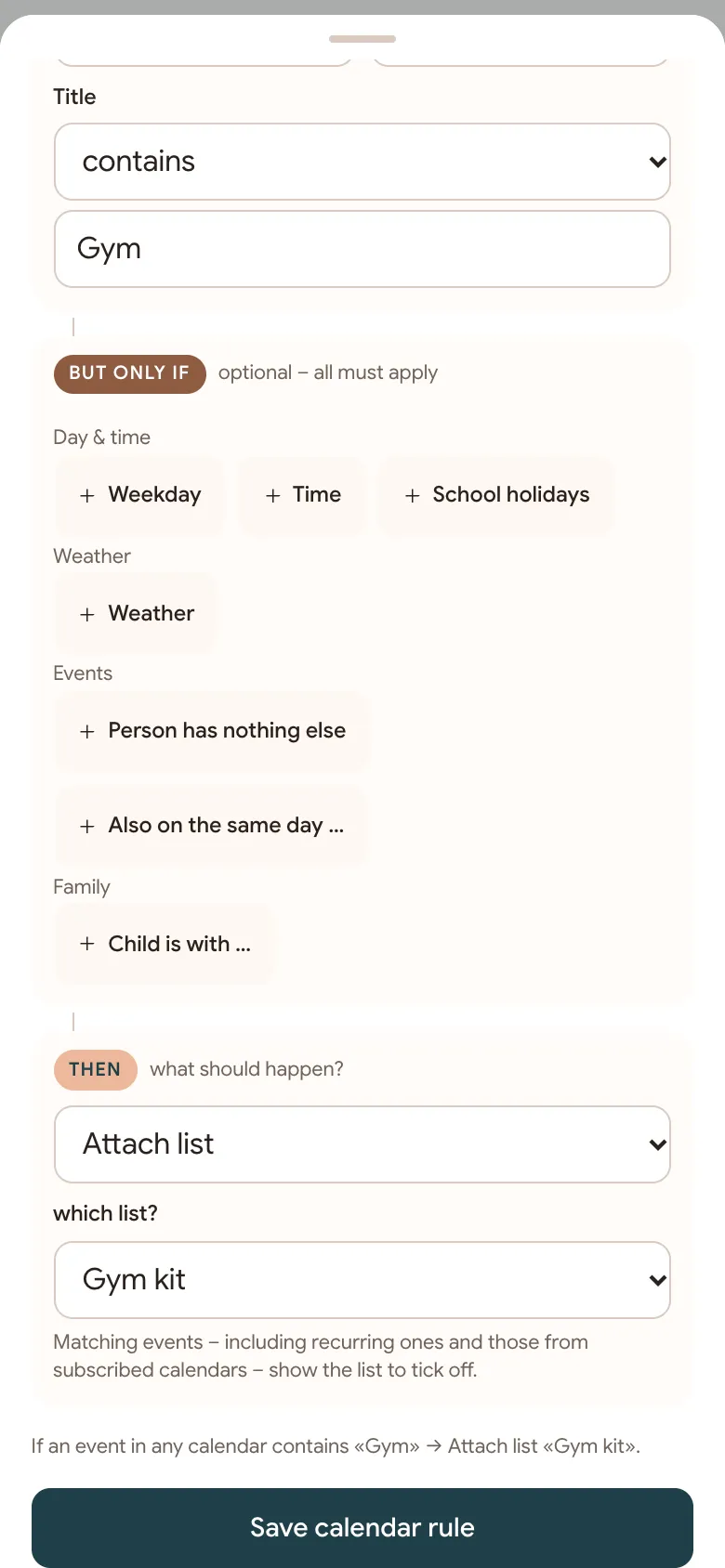
- Spots clashes and double-booked resources such as the car, asks once and learns rules
- Subscribe to school holidays, clubs, Google, Outlook or iCloud by link – and see FamilyBuddy in your own phone calendar the other way round
- Reminders on your phone, birthdays with age, repeating events with exceptions
- Others see work appointments only as «busy» if you like
- Print the family week, a week or a month for the fridge – with profile pictures
CHF 5 per month for the whole family, data in Switzerland. More on the home page · Guide to the calendar
Frequently asked questions about the family calendar
What belongs in a family calendar?
Everything that affects more than one person: school and nursery, sports practice and music lessons, doctor's appointments, birthdays, holidays and public holidays, visits and working hours that change everyday life, such as late shifts or business trips.
How many columns does the family planner need?
One per person with their own appointments. The template here creates up to six columns. Pets with vet appointments or an «Everyone» column for shared events work too – just type in a name for it.
Are the public holidays in the template right for my canton?
The template shows the most common public holidays in Switzerland, for example New Year, Easter, Ascension Day, Whit Monday, 1 August and Christmas. Each canton decides which days are off. Cantonal holidays and school holidays are best added by hand.
Can I add school holidays automatically?
Not on paper. In FamilyBuddy you can subscribe to school and holiday calendars by link, for example from the school or the municipality. The dates then appear automatically and stay up to date.
Can grandparents or the nanny see the calendar too?
In FamilyBuddy, yes: carers get their own access with a code and PIN, time-limited if you like. You decide which calendars they see.
Is the template free and do I need an account?
Yes, the template is free and needs no account. Your entries stay on your device only and are not sent anywhere. If you'd like the calendar on your phone too, you can try FamilyBuddy free for a month.
Which app works well as a family calendar?
A good family calendar app shows everyone at a glance, spots clashes and takes in school, club and work calendars. FamilyBuddy does exactly that – with calendar subscriptions from Google, Outlook and iCloud, access for children without an email address and data in Switzerland. The app runs in the browser on iPhone, Android, tablet and computer – no download from the App Store. The first month is free. Try for free